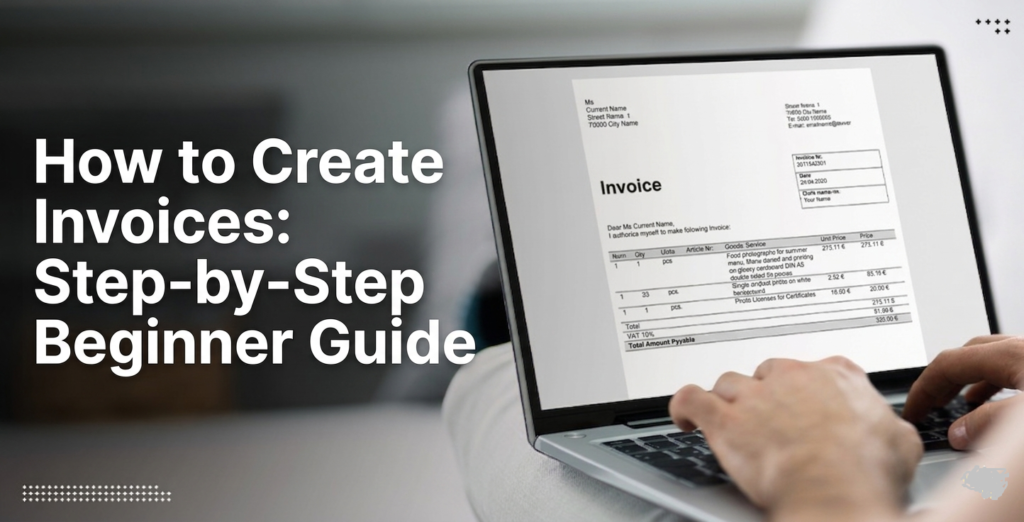
If you are a freelancer, small business owner, or service provider, understanding how to create invoices is one of the most important financial skills you can learn. An invoice is not just a piece of paper or a digital file—it is a formal request for payment that helps you maintain cash flow, build trust with clients, and keep your business records organized.
Many beginners struggle with creating invoices because they think it requires advanced accounting knowledge. The truth is much simpler. With the right structure, tools, and guidance, anyone can create a professional invoice in minutes. We will learn everything from basic invoice components to advanced invoicing strategies that help you get paid faster and run your business more efficiently.
What is an Invoice?
An invoice is a business document issued by a seller to a buyer that outlines the products or services provided and the amount due for payment. It serves as both a payment request and a financial record.
When learning to create invoices, it is important to understand that invoices are not optional—they are essential for tracking income, managing taxes, and maintaining professional relationships.
Why Learning How to Create Invoices Matters
Understanding it is essential for several reasons:
- It ensures you get paid on time
- It improves your business professionalism
- It helps you track income and expenses
- It builds trust with clients
- It supports legal and tax compliance
Without proper invoicing, businesses often face payment delays and financial confusion.
Types of Invoices You Should Know
Before learning to create invoices, it is important to understand the different types of invoices used in business. Each type serves a specific purpose and helps businesses manage payments more effectively.
Standard Invoice
A standard invoice is the most common type of invoice used by businesses and freelancers. It is issued after products are delivered or services are completed and contains all payment-related details. Standard invoices are ideal for one-time transactions and routine business operations.
Proforma Invoice
A proforma invoice is a preliminary document sent before goods are delivered or services begin. It provides an estimate of costs and outlines the expected terms of the transaction. Although it resembles a regular invoice, it is not an official payment request.
Recurring Invoice
A recurring invoice is designed for ongoing services or subscription-based businesses. These invoices are generated automatically at regular intervals, such as weekly, monthly, or yearly. They save time and ensure consistent billing for long-term clients.
Credit Invoice
A credit invoice, also known as a credit memo, is issued when a customer is owed a refund or adjustment. It reduces the amount previously charged due to returns, discounts, or billing corrections. This helps maintain accurate financial records and customer trust.
Commercial Invoice
A commercial invoice is used in international trade and shipping transactions. It includes detailed information about exported or imported goods, such as product descriptions, values, and shipping details. Customs authorities use this document to assess duties, taxes, and import regulations.
Essential Elements of a Professional Invoice
When learning how to create invoices, every invoice must include key details:
- Business name and logo
- Contact information
- Client details
- Invoice number
- Issue date and due date
- Description of services/products
- Total amount due
- Payment terms
These elements ensure clarity and avoid disputes.
Professional Invoice Structure Table
| Section | Details Included |
| Header | Business name, logo, contact info |
| Client Details | Name, address, contact |
| Invoice Info | Invoice number, date, due date |
| Service Details | Description, quantity, price |
| Summary | Subtotal, tax, discount, total |
| Payment Info | Bank details, payment methods |
How to Create Invoices Step-by-Step
Now let’s break down and create invoices in a simple step-by-step process.
Step 1: Choose Your Invoice Format
You can create invoices using:
- Microsoft Word
- Excel or Google Sheets
- Online invoice generators
- Accounting software
Each method has its advantages depending on your business size.
Step 2: Add Business Information
- Add your business name and logo for brand identity.
- Include your complete business address.
- Add your phone number and email address.
- Make the invoice look professional and trustworthy.
- Help clients easily recognize your business details.
Step 3: Add Client Details
- Write the client’s full name correctly.
- Add the company name if applicable.
- Include client contact information.
- Check details to avoid payment delays.
- Ensure accurate invoicing records.
Step 4: Assign an Invoice Number
- Create a unique invoice number for each bill.
- Use formats like INV-001, INV-002, etc.
- Keep invoices organized and easy to track.
- Avoid duplicate invoice numbers.
- Make payment management simpler.
Step 5: List Services or Products
Clearly describe what you provided. Include:
- Service name
- Quantity or hours
- Rate per unit
- Total cost
Step 6: Calculate Total Amount
Break down:
- Subtotal
- Taxes (if applicable)
- Discounts
- Final total
Step 7: Set Payment Terms
Define when and how you expect payment:
- Net 7 / Net 15 / Net 30
- Bank transfer or mobile payment
- Late payment penalties (optional)
Step 8: Review and Send Invoice
Before sending, double-check everything. Then send it via email or invoicing software. Mastering this process is the core of creating invoices effectively.
Best Tools for Creating Invoices
Choosing the right tool makes how to create invoices much easier.
- Google Sheets templates
- Microsoft Word invoice templates
- Canva invoice designs
Accounting Software
- QuickBooks
- FreshBooks
- Wave Accounting
These platforms are ideal for scaling businesses.
Tips for Creating Professional Invoices
If you want to improve how to create invoices, follow these tips:
- Keep the design clean and simple
- Use clear fonts and formatting
- Add payment instructions clearly
- Send invoices immediately after work completion
- Follow up politely on overdue payments
These small improvements can significantly increase your payment speed.
Common Mistakes to Avoid
Many beginners struggle with it because of avoidable mistakes:
- Missing invoice numbers
- Incorrect totals or calculations
- Unclear service descriptions
- Poor formatting
- Not following up on payments
Avoiding these ensures smoother business operations.
Advanced Invoicing Strategies
Once you understand how to create invoices, you can improve efficiency with advanced methods:
Automation
Automation can significantly improve your invoicing process by reducing manual work and minimizing errors. Many modern invoicing tools allow you to schedule recurring invoices, automatic reminders, and payment confirmations. This saves valuable time and ensures clients receive invoices consistently without requiring constant attention.
Payment Integration
Adding online payment options makes it easier and faster for clients to pay their invoices. By integrating payment gateways such as credit cards, digital wallets, or bank transfers, businesses can reduce payment delays and improve cash flow. Convenient payment methods often encourage quicker transactions and enhance the customer experience.
Financial Tracking
Effective financial tracking helps you understand your business performance and make informed decisions. Accounting software and invoicing platforms provide detailed reports that allow you to monitor revenue, track expenses, and identify income trends over time. These insights support better budgeting, forecasting, and long-term business growth.
Semantic SEO Keywords Used Naturally
Throughout this guide, we have naturally included related keywords such as:
- invoice template
- create professional invoice
- freelancer invoice guide
- billing invoice format
- online invoice generator
- invoice example
- small business invoicing
Conclusion
Learning how to create invoices is a fundamental skill for anyone running a business or working as a freelancer. It not only ensures you get paid on time but also strengthens your professional image and financial organization.
By following the step-by-step process outlined in this guide, you can confidently create professional invoices, avoid common mistakes, and streamline your payment workflow. Whether you use templates, spreadsheets, or software, mastering invoices will help you build a more efficient and successful business.
FAQs
Q1: What is the easiest way to learn how to create invoices?
Ans: The easiest way is to use free templates in Google Sheets or online invoice generators, which guide you step-by-step.
Q2: Can I create invoices without accounting software?
Ans: Yes, you can easily create invoices using Word, Excel, or Google Sheets without any accounting software.
Q3: What should a professional invoice include?
Ans: A professional invoice should include business details, client information, invoice number, service description, total amount, and payment terms.
Q4: How do freelancers handle how to create invoices?
Ans: Freelancers typically create simple digital invoices after completing a project and send them via email or invoicing platforms.
Q5: Is invoicing necessary for small businesses?
Ans: Yes, invoicing is essential for tracking payments, maintaining records, and ensuring legal compliance.